The short answer
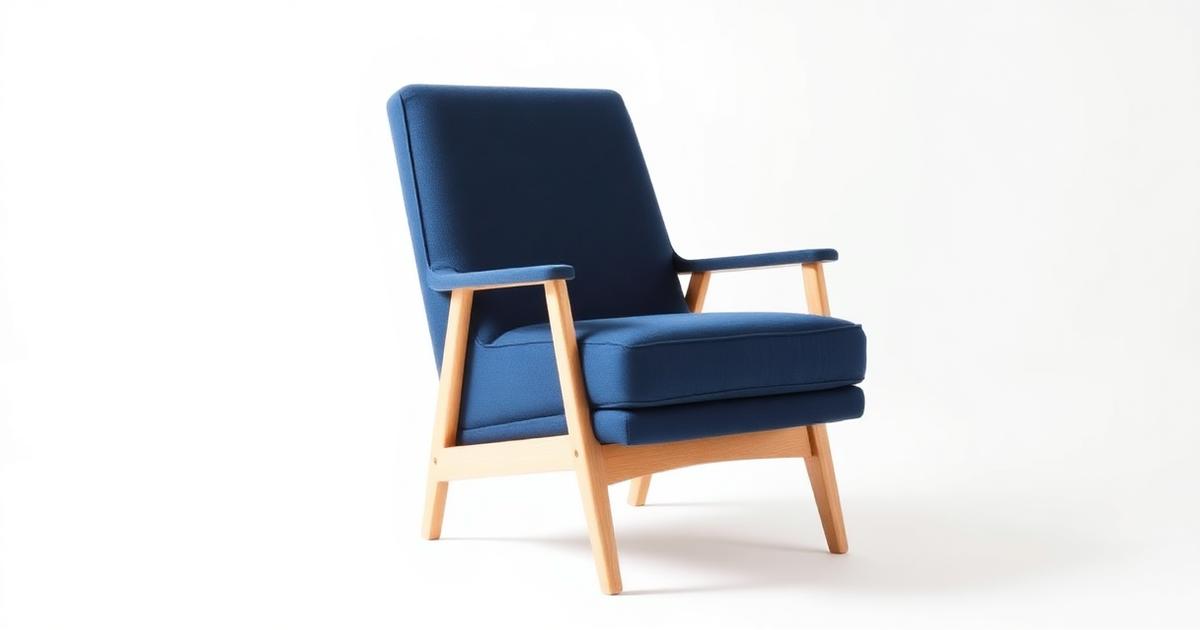
Selling furniture online requires showing the product in a realistic environment with accurate scale. AI allows you to place a single product photo into multiple room settings (lifestyle shots) without expensive photoshoots. The key is maintaining the original piece's proportions and textures while generating a believable living space around it.
How to maintain accurate scale and perspective?
Scale is the biggest challenge in furniture photography. If a sofa looks larger in the photo than it is in reality, you face high return rates. AI helps by placing the product next to 'anchor' objects.
- Use References: Shoot the original item next to a door or chair to capture true proportions.
- Eye-Level Angles: Avoid extreme low angles that make furniture look unnaturally tall.
- Lens Choice: Avoid wide-angle lenses close up, as they distort the product's dimensions.
- Dimension Prompts: When using AI, specify ceiling heights to keep the room's scale realistic.
How to create believable room scenes with AI?
A generated room must look like a lived-in space, not a sterile showroom. Adding 'human' details builds trust and helps buyers visualize the item in their own homes.
- Natural Lighting: Request soft, directional daylight from a window for realistic shadows.
- Lifestyle Props: Include plants, books, or lamps to give the scene life and context.
- Surface Consistency: Ensure the rug or flooring meets the furniture legs at a natural angle.
- Style Variants: Generate the same item in Modern, Traditional, or Scandinavian styles for wider appeal.
How to preserve fabric and wood textures?
The 'feel' of furniture is as important as the look. High-resolution textures prevent the product from looking like a cheap 3D render.
- Close-up Crops: Include a high-detail shot of the fabric weave or wood grain in your gallery.
- Shadow Depth: Ensure shadows follow the texture's contours for a three-dimensional look.
- Material Integrity: Never let AI 'redesign' the fabric pattern; keep the original source intact.
- Technical Specs: For file requirements, check our store image specs guide.
| Material | AI Focus | Goal |
|---|---|---|
| Wood | Grain direction | Natural authenticity |
| Fabric | Weave detail | Tactile feel |
| Metal | Soft reflections | Premium quality |
| Glass | Transparency | Realism |
What are the common pitfalls in AI furniture photos?
Avoid the 'floating' look or inconsistent lighting that ruins the illusion of a real room. Always perform a final check before publishing to your e-commerce store.
- Floating Furniture: Ensure legs have proper contact shadows on the generated floor.
- Over-Sharpening: Excessive detail can make soft fabrics look metallic or sharp.
- Mismatched Lighting: The light on the product must match the light source in the generated room.
- Next Step: Learn about increasing conversion rates with better imagery.
Frequently asked questions
How do I prevent my furniture from looking the wrong size?
Shoot the product next to a person or common object like a door. When generating the room, specify the dimensions of the surrounding furniture to maintain a realistic scale.
Can I use AI for different room styles?
Yes. You can generate one sofa in a modern apartment, a classic villa, or a boho studio to see which style resonates best with your audience.
Is a close-up texture shot necessary?
Absolutely. Buyers need to see the quality of the fabric or wood grain up close, as full-room shots often lose these fine details.